Guide To


Get Custom Alerts for Your Favourite Artists, Teams, Shows and Venues
When the artists, teams and venues you love have events happening near you, you want to make sure you’re there, and Ticketmaster’s Favourites tool ensures you’ll be the first to know when tickets go on sale.
Use the handy 💜 to let us know who you wouldn’t miss for the world or the venues you want to be first in line for – then we handle the rest, sending you timely alerts as soon as ticket sales are announced.
Adding Favourites to your Ticketmaster account will help us personalise your event feed and make discovering new artists or events we think you’ll dig as easy as getting an email. The more Favourites you share with us, the more personalised concert notifications we’ll send along in a customised email — as well as feature them front and centre when you open our app or sign into your account on Ticketmaster.com.au.
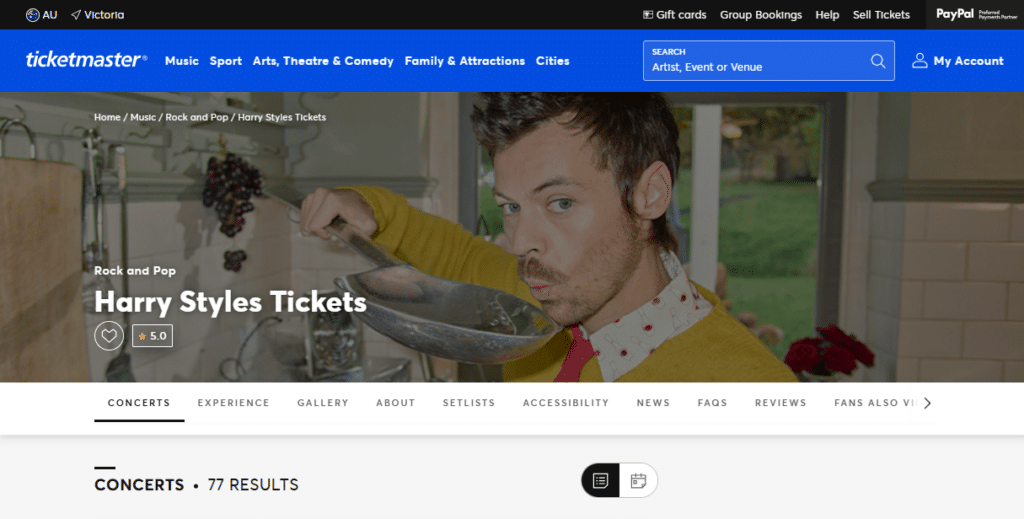
Adding your Favourites is key to receiving alerts; it ensures you’ll never miss a tour announcement, the chance to see your favourite team live, or any event happening at your favourite venues. To get notified of upcoming concerts, theatre shows and other events, when you’re browsing in the Ticketmaster app or website, just tap the 💜 located on the pages of artists, teams or venues you want to follow (you’ll see it on the image at the top). Once you tap the heart, they’ll be automatically added to your Favourites.
In order to modify your Favourites, head to the app, tap on My Account, and head to Preferences. In this section, you can click My Favourites and view all your Favourites’ upcoming events in one handy list.
Want even more personalised recommendations? Go to the For You tab to see a tailored list of upcoming events we think you’ll love, based on your favourites. You can also add more to your favourites while in that tab by hitting the Add Favourites button.
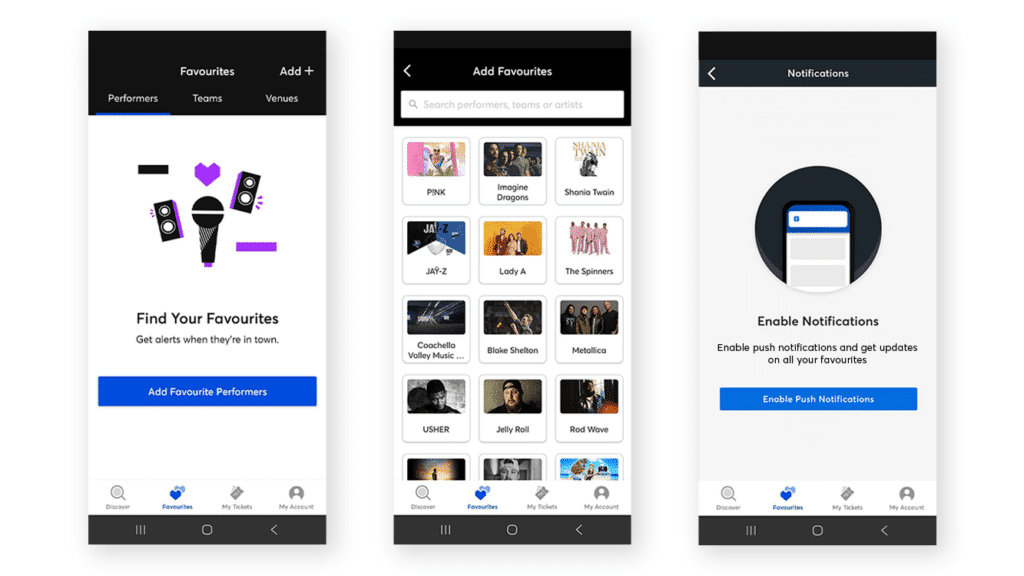
This ensures you’ll receive a notification when new shows and tickets are announced, and you’ll also receive last-minute alerts when availability is running low. Plus, based on the types of things you Favourite, you’ll receive personalised recommendations for similar types of events that might not have already crossed your radar. You can always modify how you receive those recommendations (text or email) or opt out of them by updating your account preferences.